Who doesn't love freebies on their birthday? Birthday rewards are an optional setting that can be enabled to delight and incentivize guests to revisit the restaurant, place an order via Online Ording with Toast Loyalty, or through the Local by Toast app. You can see more in How Birthday Rewards Work in Toast Central.
Manage Birthday Rewards for Toast Loyalty
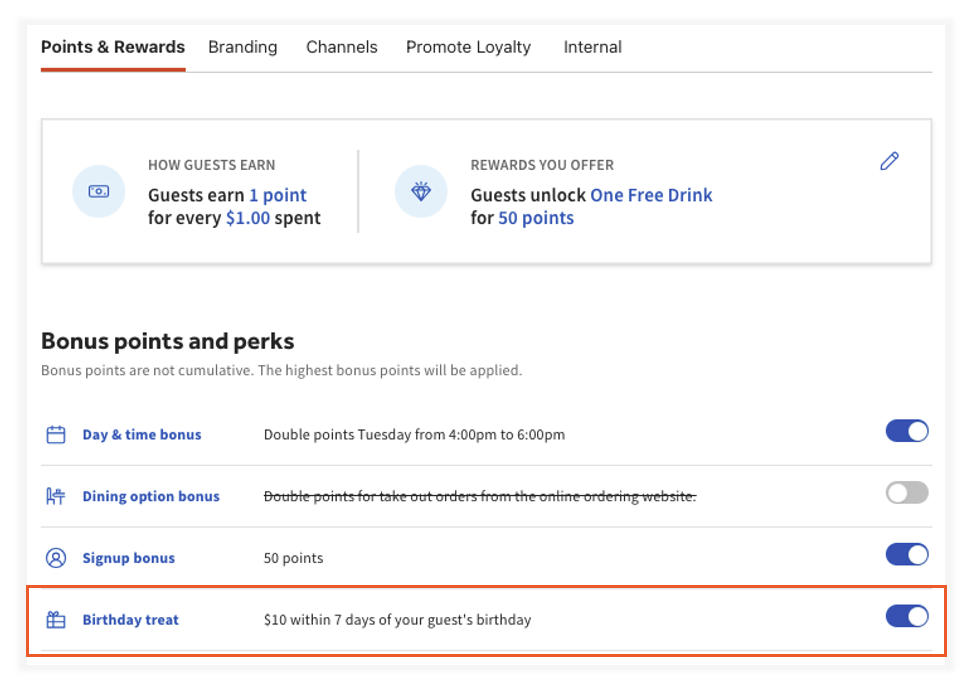
- Log in to Toast Web and navigate to Marketing> Loyalty > Settings.
- Under the Bonus points and perks section, navigate to the Birthday treat bonus.
- Switch the toggle to On.
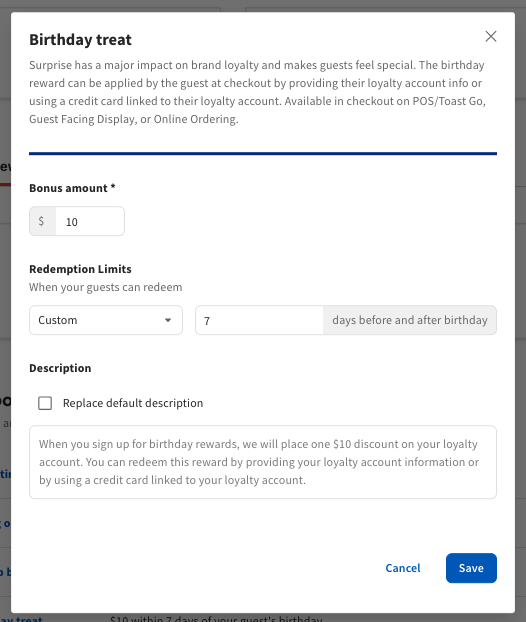
- When prompted, enter the following information:
- Bonus amount - Enter the bonus value amount available to the guest.
- Redemption Limits - Determine if the rewards can be used only on the birthday, within the birthday month, or within a custom window of time.
- Description - Similar to the Rewards Description, decide if you want to create your custom message or simply use the default description shown when guests sign up for birthday rewards.
- Select Save.
- Select Save and Publish Now at the top of the page.
The following message is sent to guests when their birthday reward is created. Birthday rewards can only be redeemed by guests in-store or via Online Ordering.
Guests will see the following in the Local by Toast app:
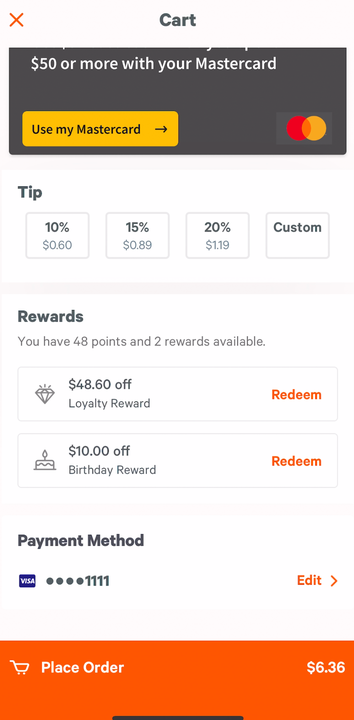
.
Note:
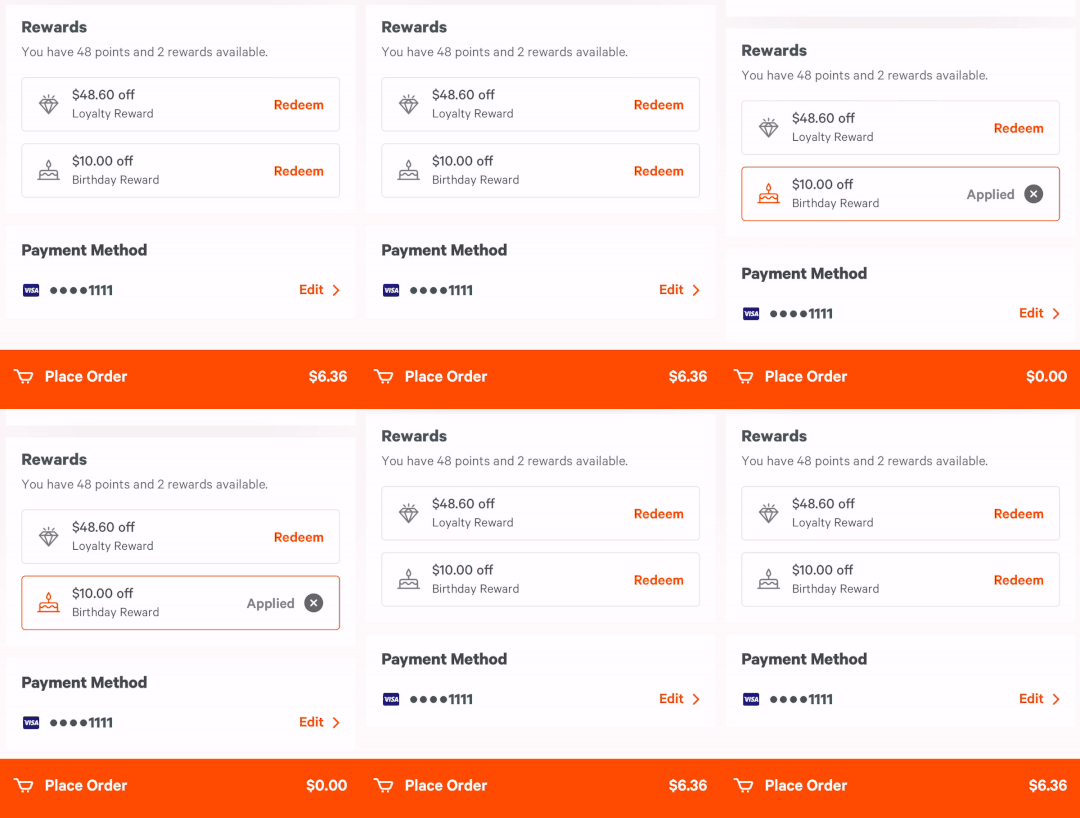
- Birthday rewards are not automatically applied to guests' rewards accounts when they receive the email above. When guests visit your restaurant and redeem their reward at the point of purchase or choose to redeem it at check out via Online Ordering, the discount is applied to their check. You can see more in How Birthday Rewards Work in Toast Central.
- Birthday rewards and regular Loyalty rewards can be redeemed simultaneously on POS terminals, guest-facing displays, and online.


