Drive repeat visits with a simple, integrated loyalty program that rewards regulars -- in-store and online.
In this Article:
Check out How Guests Enroll in Toast Loyalty for more information on how guests can sign up for your Toast Loyalty program.
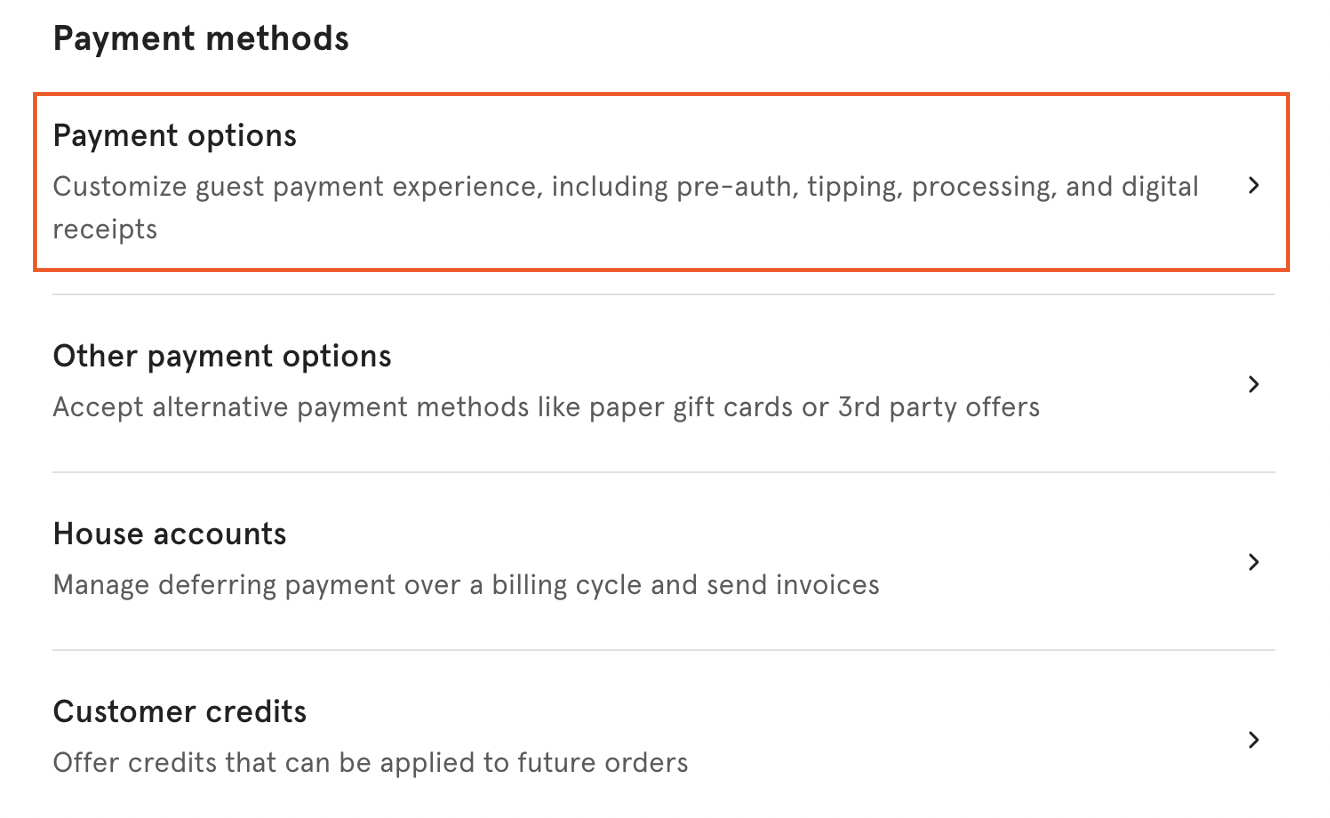
- Navigate to the Payments section in Toast Web from the homepage.
- Select Payment options.
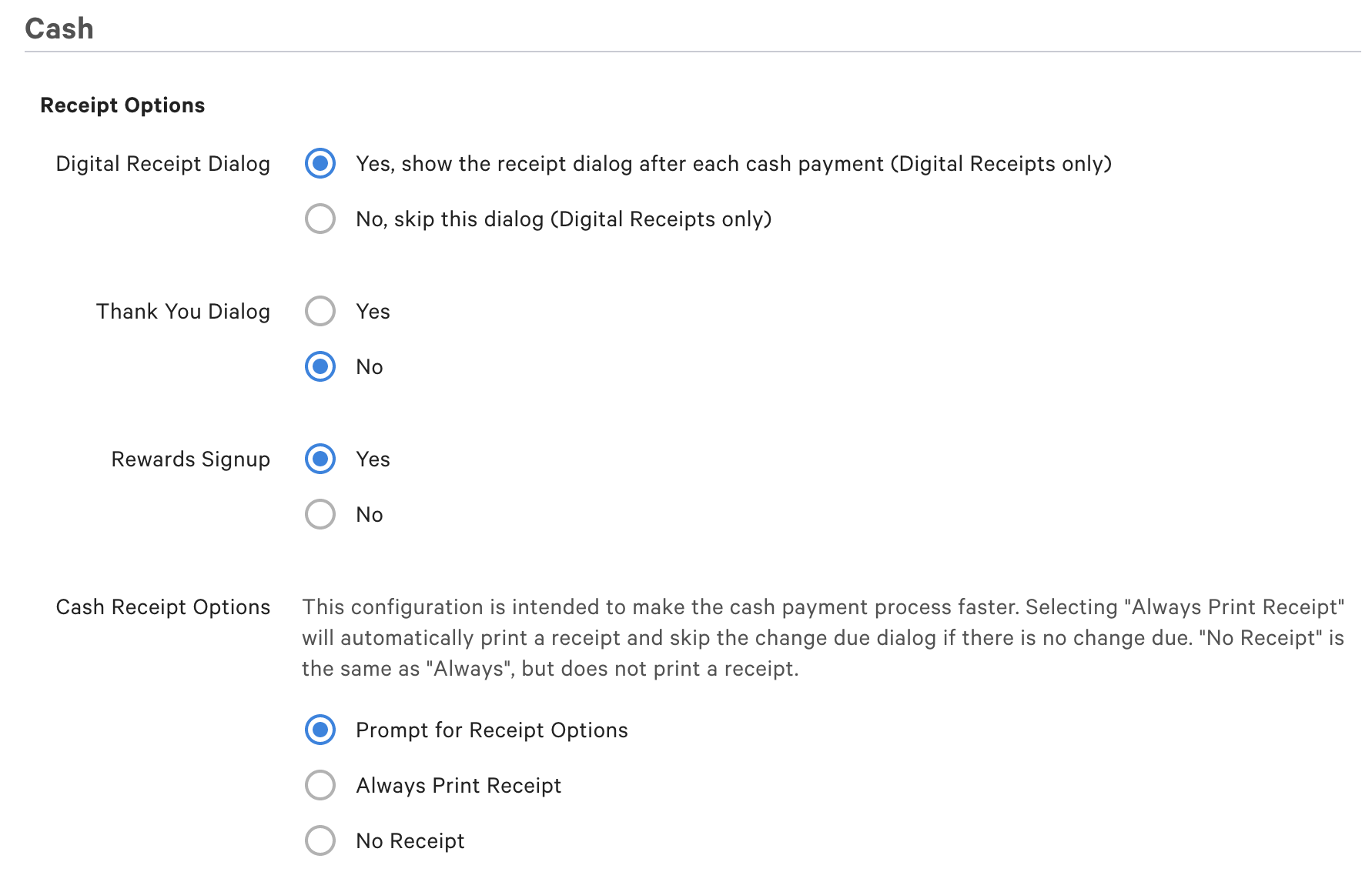
- Under the Cash section, make sure the following are set to Yes :
- Digital Receipt Dialog
- Thank You Dialog
- Rewards Signup (You will need to save your changes for this option to appear on your page)
- If any of these are set to No, the sign-up prompt will not appear on cash payments.
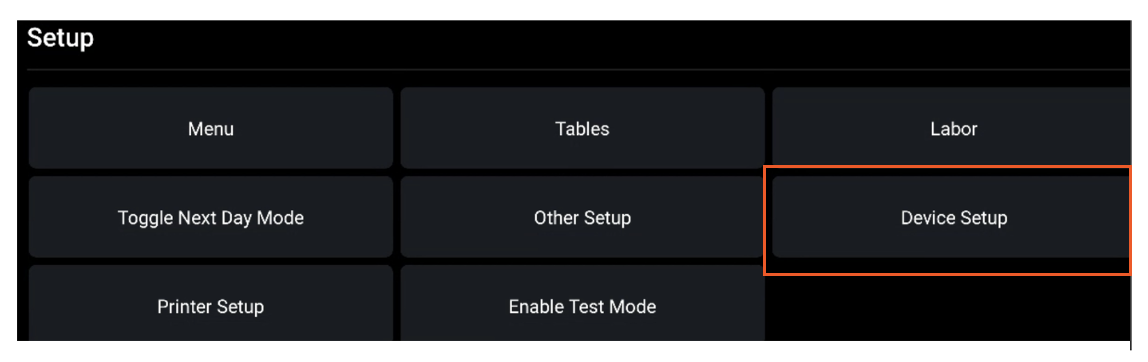
- You will also need to make sure you enable Digital Receipts on your POS device. Do this by navigating to Device Setup on the POS main menu.
- Select Yes, use digital receipts.
- Navigate to the Payments section in Toast Web from the homepage.
- Select Payment options.
- Under the Cash section, make sure that the Thank You Dialog and Digital Receipts Dialog options are set to Yes.
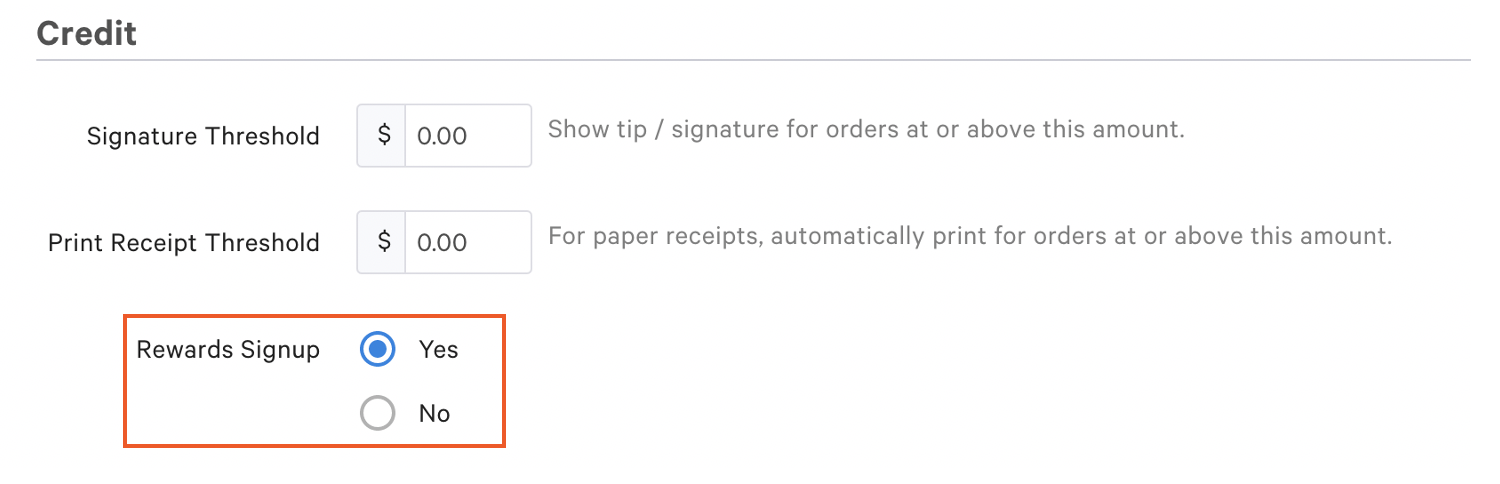
- Under the Credit section, set Rewards Signup to Yes.
- If you haven't already done so, you will need to make sure you have enabled Digital Receipts on your POS devices by navigating to Device Setup.
- Select Yes, use digital receipts.


