Looking for a Toast Loyalty training? Select the button below to start!
To start with Toast Loyalty, watch the following video or read the steps below.
Get an overview of how to get started with Toast Loyalty.
In this Article:
How Toast Loyalty Works
Toast's Loyalty program allows guests to easily enroll, earn, and redeem rewards at your restaurant.
Guests can sign up with your Loyalty program in many ways -- when paying at the register, signing the check at their table, placing an online order, or even through the Local by Toast app. Once signed up, guests earn points with every purchase or visit made at your restaurant. These points are recorded through a phone number, email address, or credit card linked to their loyalty account. There is no maximum number of points a guest can earn on a transaction, nor maximum amount a loyalty account can hold.
Once guests have earned enough points, they can redeem them for rewards you set for your restaurant, like a free beverage or discounted meal -- the choice is yours! Read on to learn how to set up and start using your program.
Hear below from a Toast customer who has seen great success using Loyalty.
Note: Users with the following access permissions can set up the Toast Loyalty Program configuration and review sales data for gift and rewards cards.
- 4.8 Marketing Info
- 4.4 Gift/Rewards Card Reports
For more information on each access permission, please see the Permissions Reference Guide and Toast Platform Guide: Access Permissions Reference.
Back to top
Toast Loyalty for Multi-Location Groups
If your restaurant is part of a multi-location group, your Toast Loyalty program can be shared across multiple locations. This allows guests to sign up, accrue, and redeem using a single loyalty account across all locations that participate. Program sharing across locations is managed within the "Gift / Rewards Card Group". The Gift / Rewards Card Group is found by navigating to Location Groups > "Loyalty".
Note: Toast currently only supports one program group at a time. Locations removed from the Gift / Rewards Card Group establish an independent loyalty program.
Back to top
- If you are a new user of Toast Loyalty, log in to Toast Web and navigate to Marketing > Loyalty > Settings. If you are an existing user and need to adjust your Toast Loyalty settings, see Toast Loyalty Homepage below in this article.
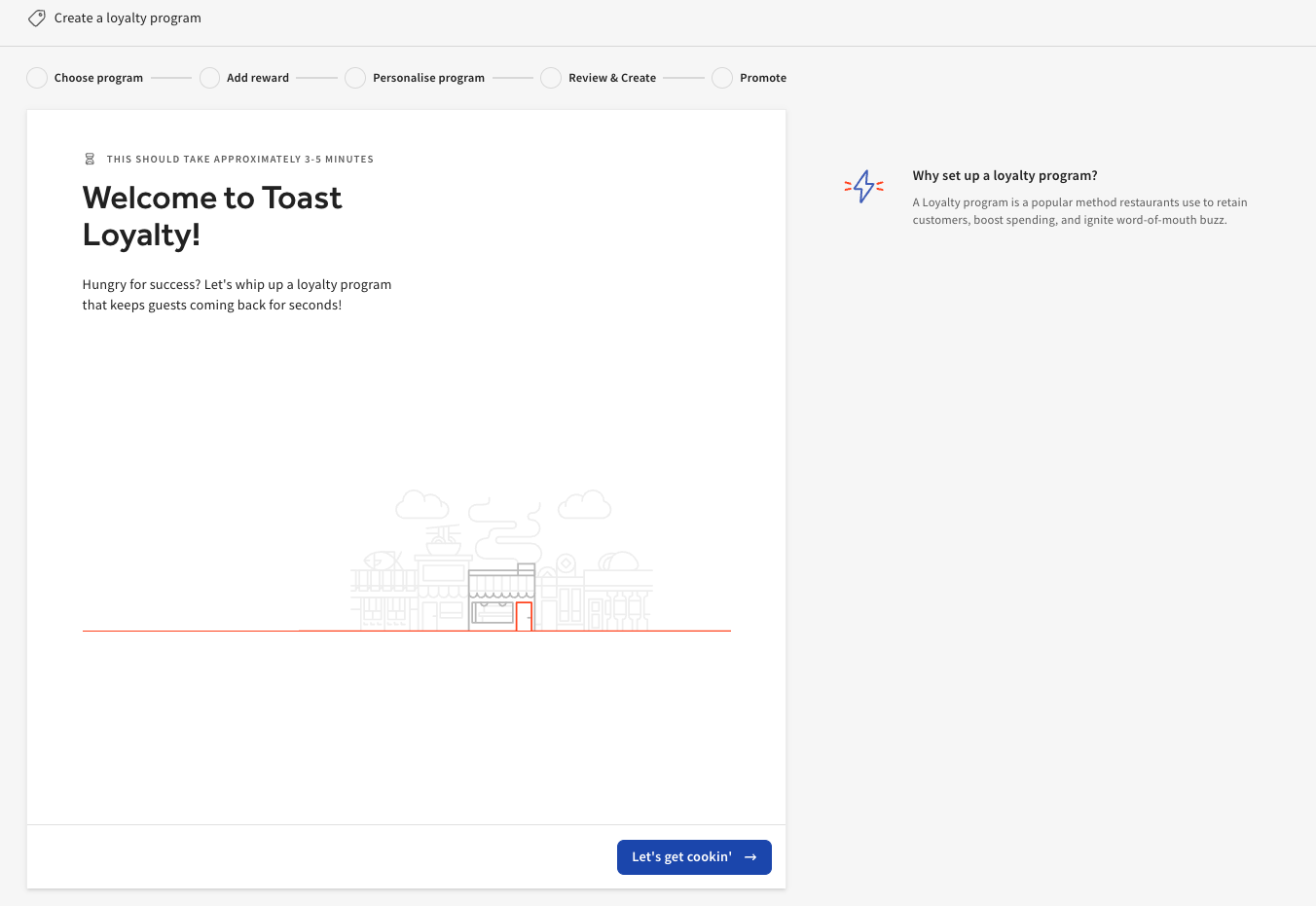
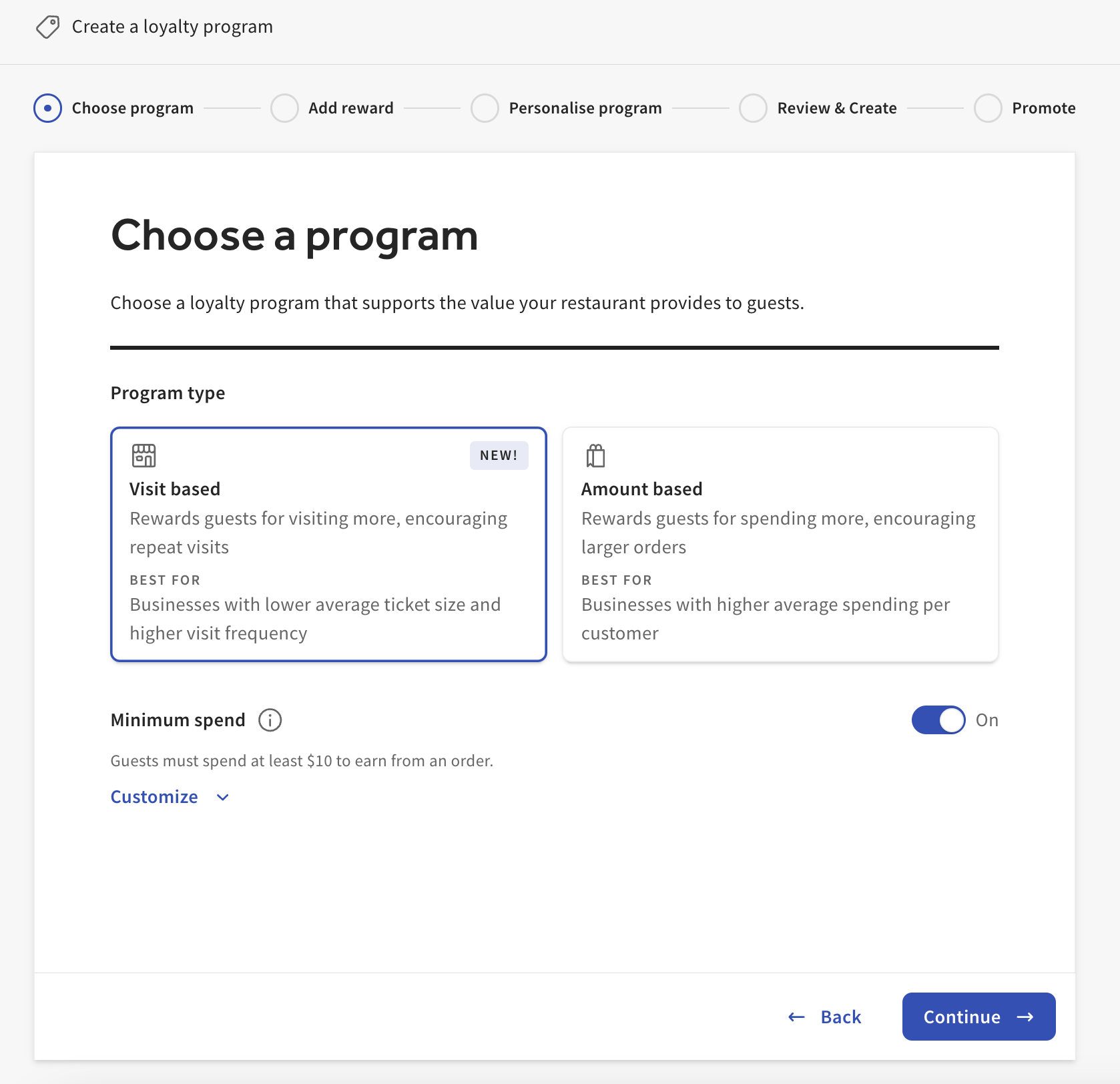
- Next, choose your program, then select Continue.
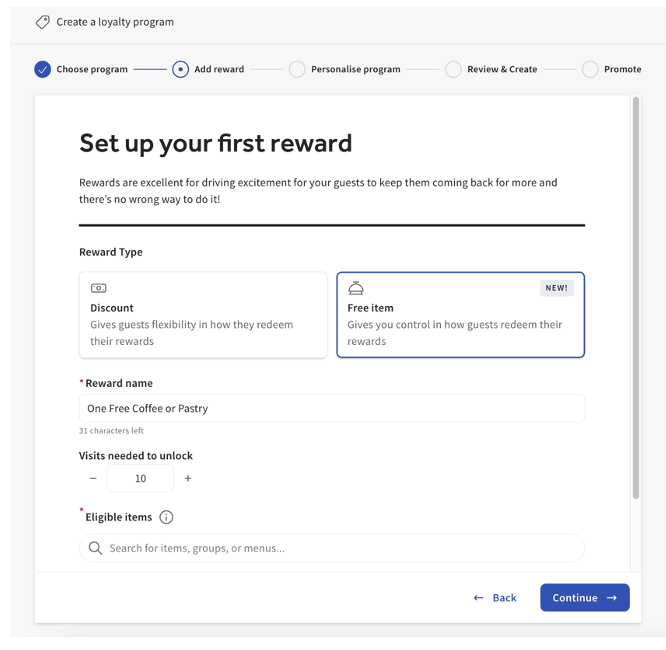
- Now, let’s set up your first reward:
- Reward type (Discount or Free item)
- Reward name & Points needed
- Eligible items
- Once all of the information is entered, select Continue.
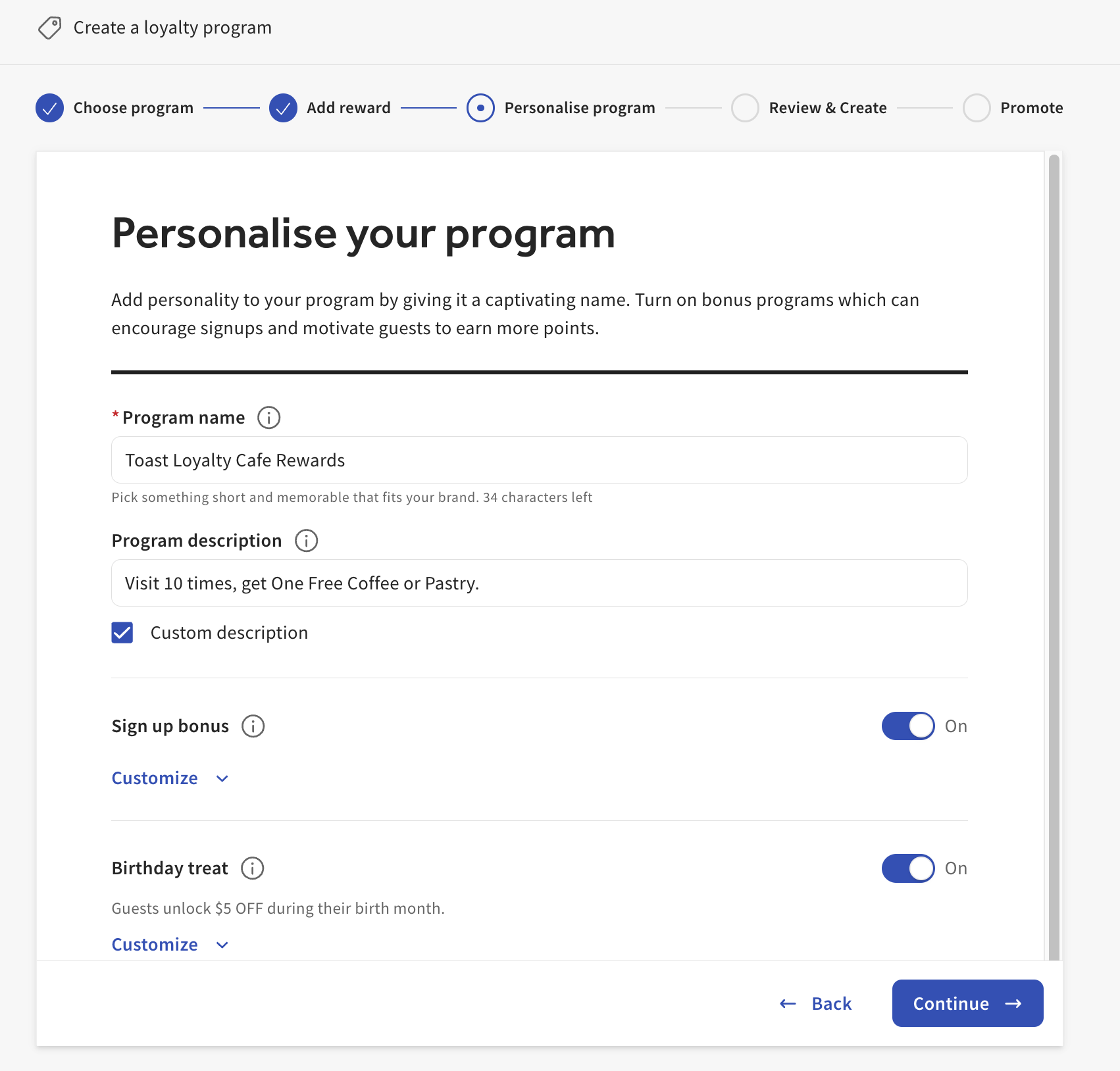
- Next, personalize your program.
- Review your selections and confirm accuracy. Select Create program.
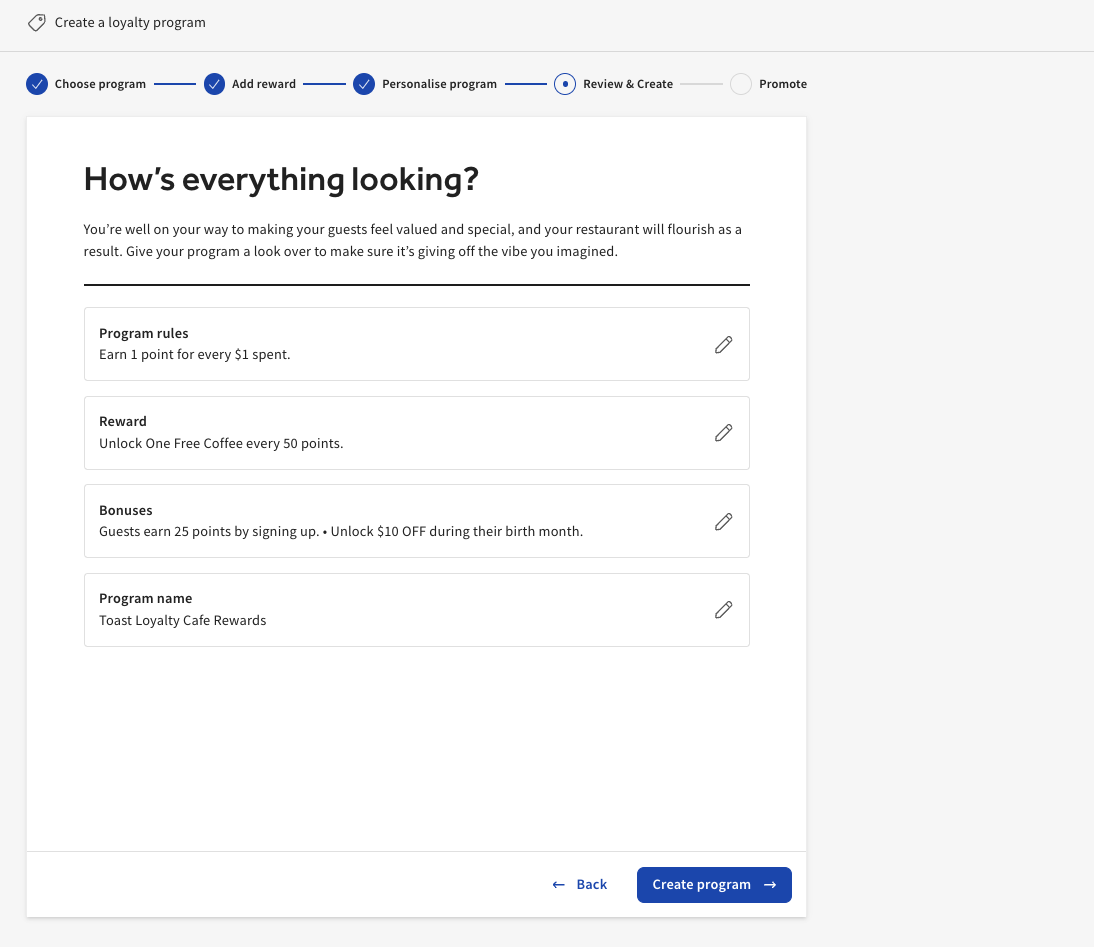
- Your program is now active. You can use the provided link to promote your new program via social media or email.
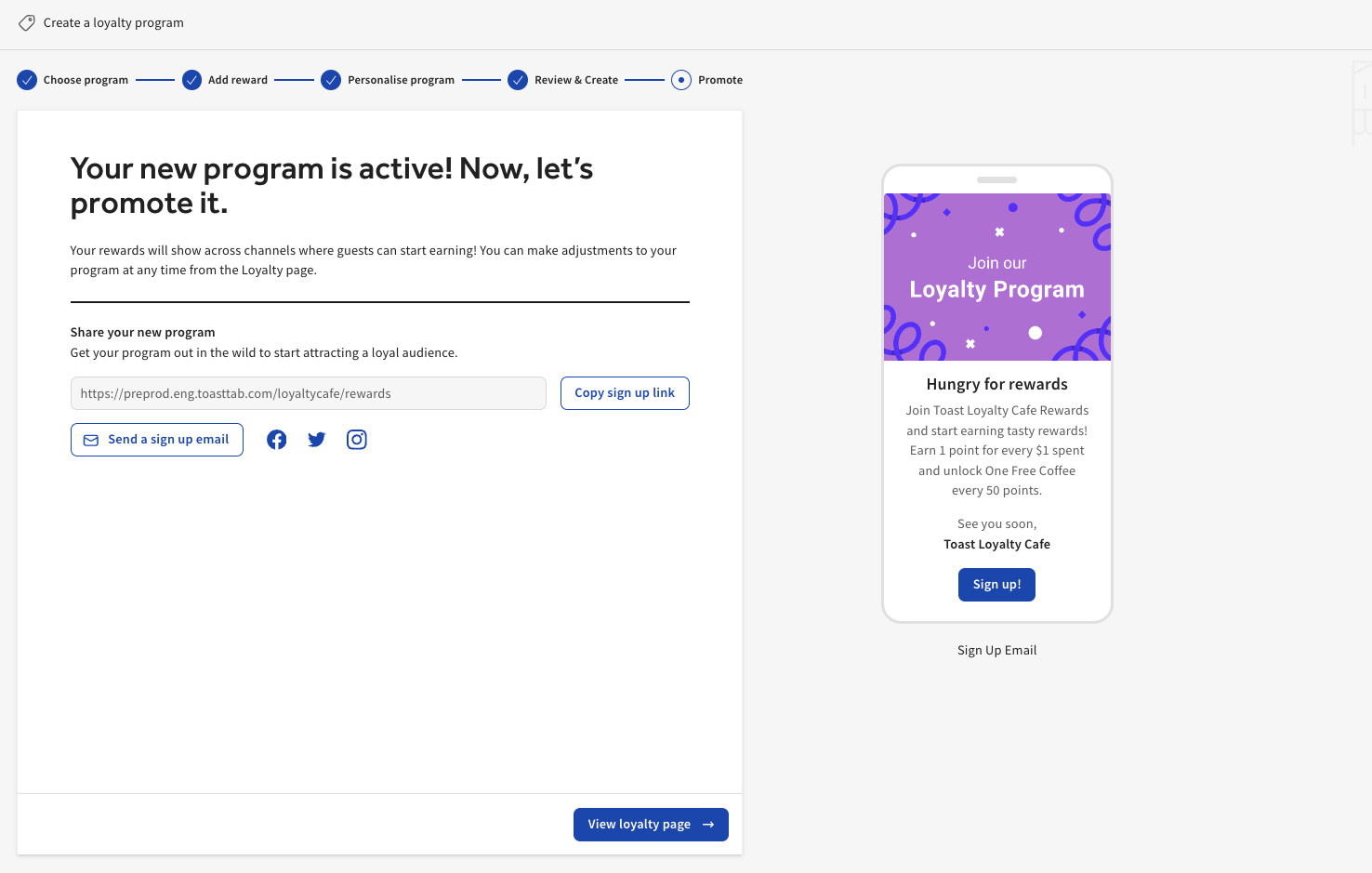
Back to top
Toast Loyalty Homepage
Once you have enrolled in Toast Loyalty, you will have access to the Toast Loyalty Homepage, which gives a high-level overview of the reward program; you offer quick controls like accrual bonuses and birthday reward toggles. If you would like to make changes follow the steps below.
- Log in to Toast Web and navigate to Marketing > Loyalty > Settings.
- Select the Settings button at the top of the page to access your loyalty settings.
Back to top
Toast Loyalty Settings
Toast Loyalty Programs
Choose the Loyalty Program that fits the needs of your business. To configure Tiered Rewards for Toast Loyalty, see Configure and Redeem Tiered Rewards for Toast Loyalty
Visit based
- Guests will earn at a flat rate for each visit, unless a bonus is configured.
- You can set the minimum a guest has to spend to “earn” a visit.
- After a set number of visits, they will earn either an item or a discount reward.
Amount based
- Guests earn - Configure how many points a guest earns for each dollar they spend.
- This rewards guests for the amount spent, rather than order frequency.
Note: Guests cannot earn Toast Loyalty points for orders submitted through an online ordering integration such as DoorDash, Grubhub, or Uber Eats.
Back to top
Toast Loyalty Reward Type Selection
Decide which loyalty rewards your guests will receive by selecting the reward type.
- Discount - Provide a cash discount on their next order and determine how many points must be accrued (how much they must spend) to earn the reward. Once they reach the reward target, they can continue to accrue. To limit how much they can redeem, use the “redemption limit” option.
- Value per point - Each point a guest earns is worth
- Points needed - what total amount a guest can unlock a reward
- Free item - Promote a specific menu or item by offering a free item that your guests will love.
- Reward name
- Points needed to unlock
- Eligible items
- Note: For restaurants in a multi-location group, be sure to save and publish the free item selections at each location in your group.
You also have the option to set Advanced settings:
- Redemption limit - toggling this setting on helps avoid guests redeeming high amounts in one visit. Be sure to enter the points a guest can redeem at once. We recommend setting it as the earned reward amount.
Note: Guests cannot redeem Toast Loyalty points on orders submitted through an online ordering integration such as DoorDash, Grubhub, or Uber Eats.
Back to top
|
Multi-reward selection is currently in beta with select customers. Please check back for updates.
|
Use the loyal configuration page in Toast Web to add up to three rewards, each with its own point or visit tier. Configure each reward separately as either a free item or a cash discount.
- In Toast Web, navigate to Marketing > Loyalty > Settings.
- Next, select the Settings (with the gear icon) > Rewards.
- Select Add Reward up increase the reward redemption options for guests. Note: Three rewards are the maximum.
- Complete optional settings such as:
- Points needed to unlock
- Limit reward amount
- Eligible items
- Once all selections have been made select Save.
Toast Loyalty multi-reward selections can be made on the following products:
- Branded Mobile App
- Kiosk
- Toast Online Ordering
- Point of Sale
- Guest Facing Display
- Local by Toast App
Guests can redeem as many rewards as their loyalty balance and order/cart allow.
Note: On the kiosk guests cannot yet select multiple quantities of the same reward, even if they have enough points to do so.
Back to top
Toast Loyalty Bonus Programs
Encourage loyalty sign-up and repeat business with Toast Loyalty bonus programs.
- Signup bonus - is a one-time bonus just for signing up
- Birthday treat - This dollar discount reward can be specified for the guest’s birthday, birthday week, or birthday month.
- Dining option bonus - offer a 2x or 3x bonus accrual by ordering via a specific channel.
- Day & time bonus - attract traffic during a certain day or time by offering 2x or 3x bonus accrual during specified times.
Back to top
Toast Loyalty Program Description
The name of your program will appear in automated email or SMS notifications, on the guest’s online loyalty card, and on your online signup page. The description of your program appears on the guest’s online loyalty card and your online signup page.
Back to top
Toast Loyalty Signup Method
The signup method determines whether or not your guests sign up using an email address or phone number. The channel chosen will determine how your guest receives loyalty messages. Loyalty messages are sent to welcome the guest to the program, notify them of an available reward, or send a link to their loyalty account.
Back to top
Toast Loyalty Ordering Channels
Determine what ordering channels your guests can use to sign up and redeem. Accrual is allowed on all channels when loyalty is enabled. Lookup allows servers to look up using name, email address, or phone number using the customer search on the point of sale.
Back to top
Toast Loyalty Alerts
Toast offers alerts for suspicious rewards activity. Turn on these alerts and enter your email address to receive a weekly email each Monday. For more information, see Get Help With Suspicious Rewards Activity.
Back to top
Promote Your Toast Loyalty Program
Leverage the Promote your program section of your loyalty settings to get links for your website, social media, email marketing, and in-store visuals, and train your employees.
Back to top
Toast Loyalty Program Availability
Enable or disable Toast Loyalty by selecting the toggle On or Off.
Back to top
When finished, be sure to save and Publish your changes.
Back to top
Train Your Staff on Toast Loyalty Program
Share this video with your staff to train them to encourage guests to sign up with Loyalty. Remember, restaurant staff should be the cheerleaders of your loyalty program. Their belief in the program's value is infectious and can encourage customers to participate.
Back to top
Disabling POS Signup Prompts
The automatic loyalty enrollment prompts on the POS can be disabled for the cash payment and credit card payment flows. This setting can be located in the Payment Options* section of Toast Web.
Excluding Items From a Loyalty Program
You can also exclude parts of your menu from the Rewards program in the Advanced Properties* section of Toast Web.
Note: Toast currently only supports one Rewards Program at any given time.
Back to top
Additional Resources
Back to top


