Printer paper can be purchased online or through your regular paper goods supplier. Toast does not sell printer paper, so make sure you're prepared before your hardware arrives.
Printer not working? Check out this Toast Central article for quick troubleshooting steps: Get Help: My Printer Isn't Working.
In this Article:
This is a thermal printer created by Toast with a hub connection on the back. It uses 80 mm thermal paper rolls, just like the Epson M30, T20, and TM-88V printers. Since it doesn't use ink, it doesn't support printing in any color other than black.
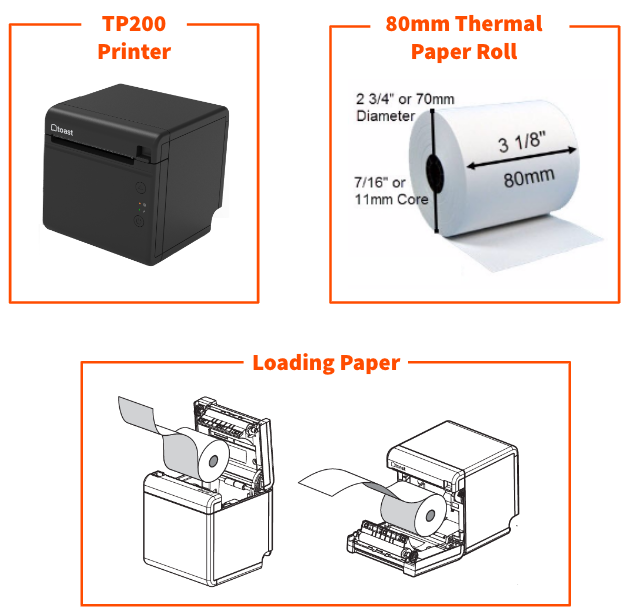
The 3 1/8" x 230' thermal paper for these printers can be purchased from a variety of online sources. Here is our suggestion.
Avoid exposure to excessive heat:
- DO NOT place the printer directly near a heat source (heat lamps, ranges, etc.) - if the printer is hot to the touch, then you risk damaging the printer and paper.
- DO NOT place printer tickets directly on or under a heat source - high heat can damage tickets and make them unreadable.
Back to top
These printers do not require ink, but thermal paper is needed in order for the printout to be visible on the slip. Because it doesn't use ink, it doesn't support printing in any color other than black.
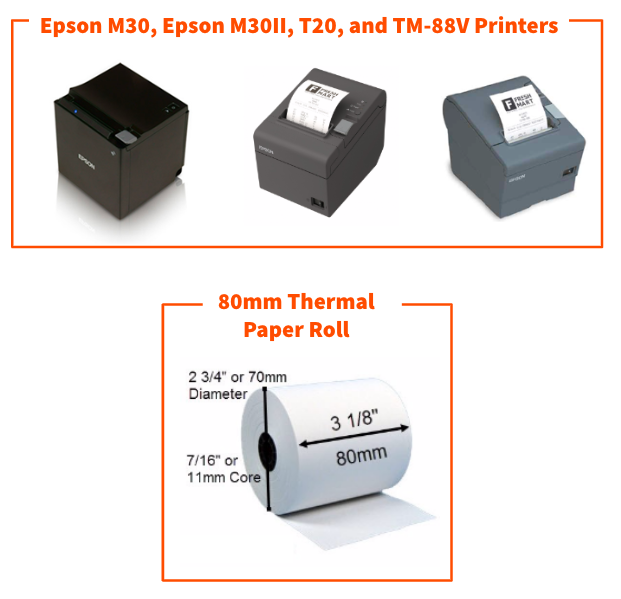
The M30 and T20 are pictured above as the middle images. The TM-88V is pictured above as the far right image and can be ordered as foreign language printers for Japanese, Chinese, and Korean.
The 3 1/8" x 230' thermal paper for these printers can be purchased from a variety of online sources. Here is our suggestion.
Avoid exposure to excessive heat:
- DO NOT place the printer directly near a heat source (heat lamps, ranges, etc.) - if the printer is hot to the touch, then you risk damaging the printer and paper.
- DO NOT place printer tickets directly on or under a heat source - high heat can damage tickets and make them unreadable.
Back to top
These printers require an ink ribbon to print which will need to be replaced when it gets low or runs out of ink. Your printer will come with an ink ribbon to get you started.
Because these printers use ink, they can support printing in red. When used for kitchen tickets for Toast POS, the menu item will print in black and the modifier option (if any) will print in red.
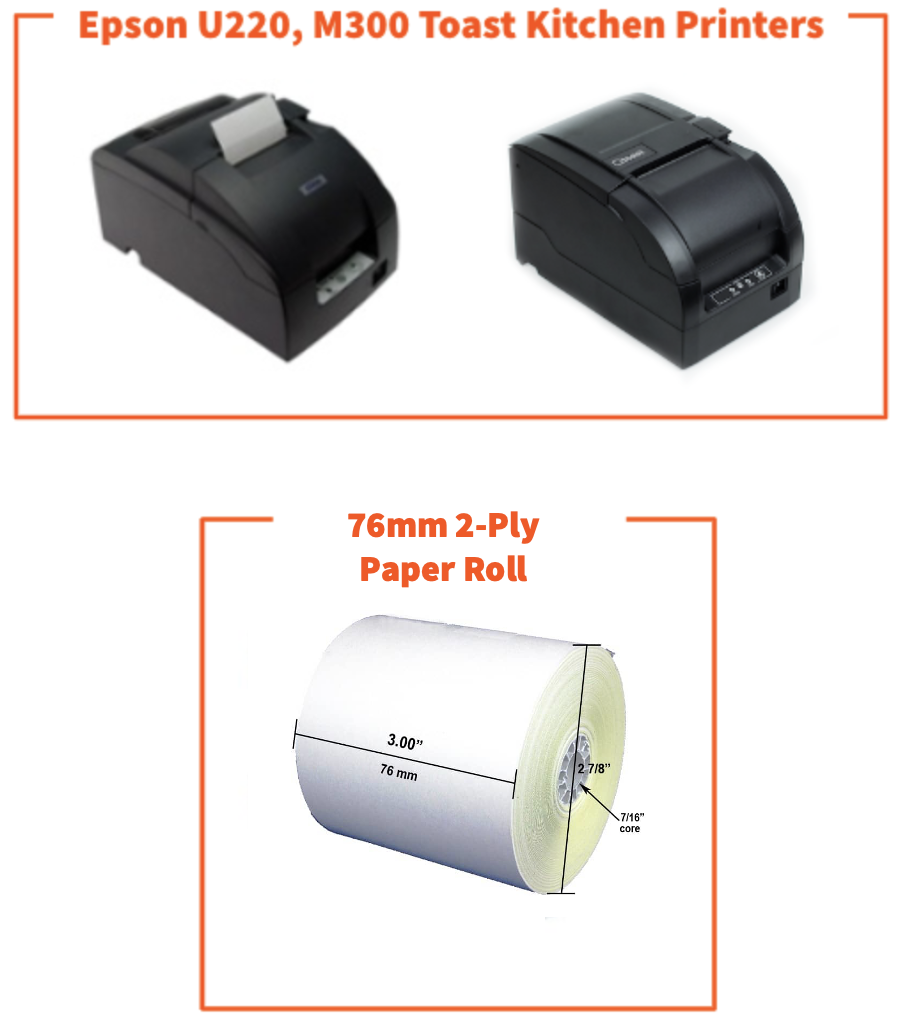
The 1-Ply Bond paper and 2-Ply Carbon-less paper for this printer can be purchased from a variety of online sources. Select this link for our suggestion.
For these printers, the Epson ERC-30/34/38 cartridge ribbons can be purchased at a variety of online sources. Select this link for our suggestion.
Note: The 3-ply paper must never be used in these printers and can void the warranty if used.
*Toast does not currently offer any customization for printing in different colors using this printer. Toast customers are responsible for their own printer consumables after installation.
Back to top
This printer is a thermal printer and does not require an ink ribbon to print. The TM-L90 liner-free label printer was designed specifically for use with linerless sticky media paper, which supports all Toast label size and orientation settings.
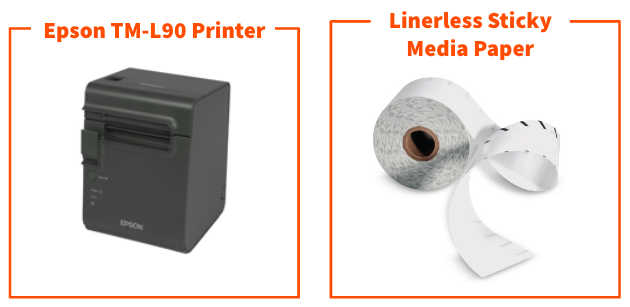
See this link for more information on the Epson TM-L90 Label Printer.
Epson L90 paper: Roll Width: 3 1/8 inches (80mm)
Back to top
TLP400 Toast Label Printer
Learn how to set up your TLP400 Toast Label Printer in Toast Item Label Printer Quick Start Guide. The Toast Item Label printer uses lined (peel and stick) labels (76-80mm width).
Note: A paper roll divider or spacer is not supported for the Epson TM-L90 (unless it is used for the Narrow (57.5 - 58 mm) receipt or kitchen tickets) since labels require a 3" (76-80mm) width receipt paper roll, but the printer does support label lengths of 1.5", 2", and 3".
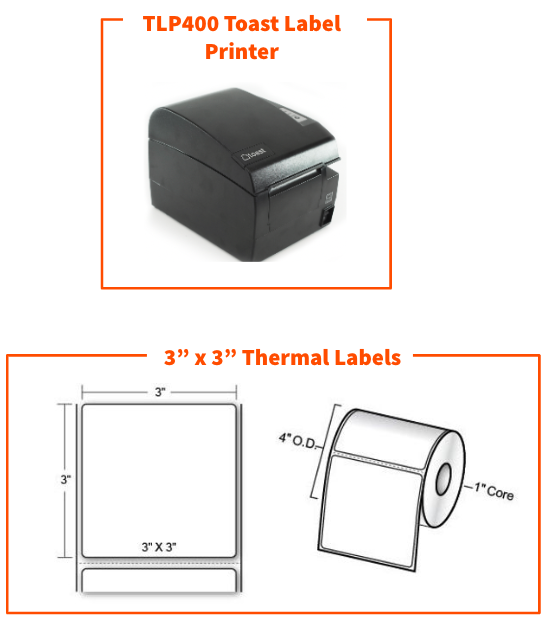
Example paper rolls that meet these specifications are:
Additional paper specifications:
- Backing paper thickness: 0.041mm-0.071mm (0.0016in - 0.0027in)
- Thermal paper (label) thickness: 0.070mm-0.092mm (0.0016in - 0.0036in)
- Thermal paper (label) spacing: 3mm-10mm (.12in - .40in)
- OD Max : 100mm (~4in)
- ID Min: 25mm (~1in)
Note: Using paper that does not match these specifications can damage the auto-cutter and void your warranty.
Back to top


