Our Loyalty Program Alerts notify you if a rewards account has accrued points more than three times in 24 hours. If it has, the account is flagged as "suspicious" because it may indicate that someone is applying their rewards account to other guests' orders.
An email will then be sent every Monday at 11:00 am ET based on the transaction data from the week prior to last week, if any suspicious accounts are detected. If no rewards accounts show suspicious activity, no email will be sent.
Note: Our program may not flag other types of suspicious behavior, and you should not rely purely on these alerts to identify all suspicious activity that could occur on customer rewards accounts. Toast is not responsible for monitoring loyalty account fraud. It is the restaurant's responsibility to react to any information provided through these alerts.
In this Article:
- Log in to Toast Web and navigate to Marketing > Loyalty > Settings.
- Scroll down to Loyalty Program Alerts and switch to On.
- When prompted, enter the email address you want to receive alerts.
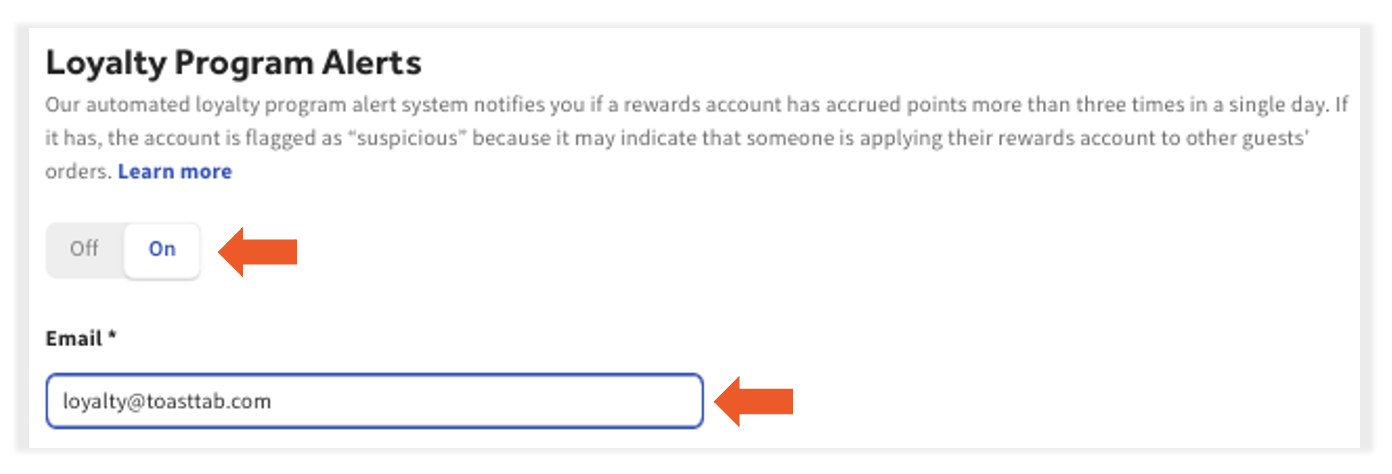
- Select Save and Publish Now to finalize your changes.
Back to top
If a rewards account is flagged for suspicious activity, we recommend reviewing the account's history to understand better if fraudulent activity is occurring or if a diner loves your restaurant. Use the following steps to locate and view the rewards account:
- Log in to Toast Web and navigate to Reports > Marketing > Rewards Accounts
- Locate the rewards account by entering the account number in the search field at the top of the report.
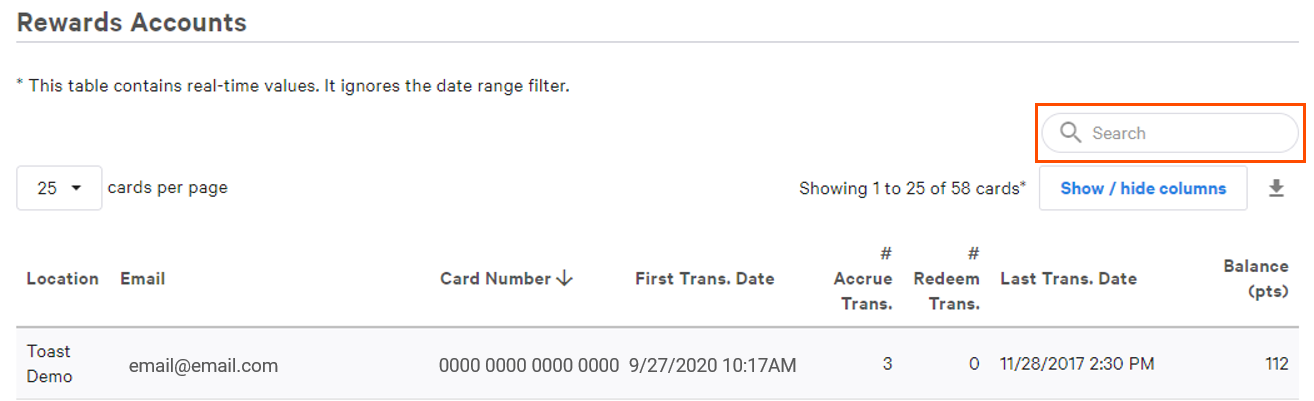
- Select the account and review the most recent transaction history under the Rewards tab.
Look for a combination of these signs that may indicate that a rewards member is abusing your program:
- The rewards account has accrued points an abnormal amount of times in a short period.
- The rewards account has redeemed points an abnormal amount of times in a short period.
- The rewards account has a point balance significantly higher than average.
- The rewards account has several linked credit cards with many different names attached.
Back to top
Loyalty Misuse Report
The Loyalty Misuse Report can help you identify suspicious employee loyalty activity to ensure program integrity. You can find it by navigating in Toast Web to Reports > Cash and loss management > Loyalty Misuse. Here you’ll find a breakdown of total points accrued and redeemed on transactions per employee. You’ll be able to easily spot unusually high numbers for accrued or redeemed points compared to their colleagues. This can help protect your business from misuse.
If you see an EMP tag (short for "employee"), this indicates that a loyalty account belongs to an employee at your business.
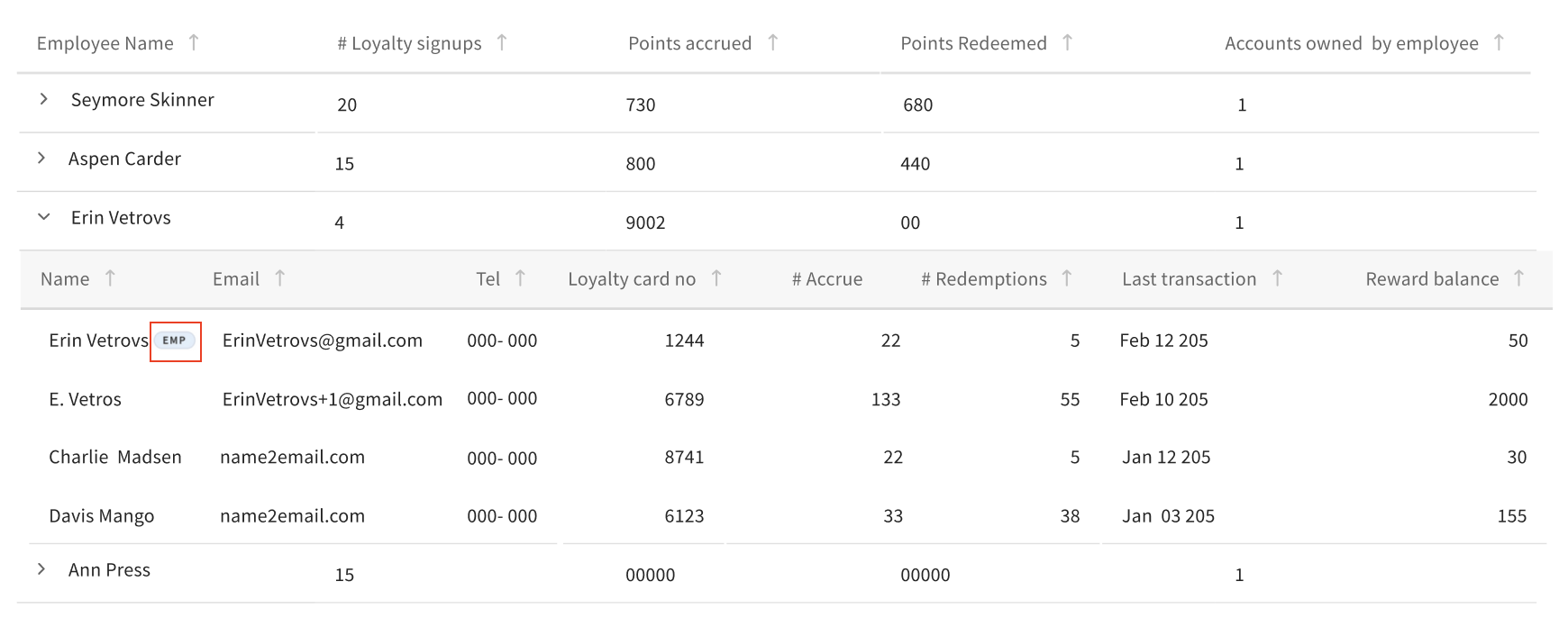
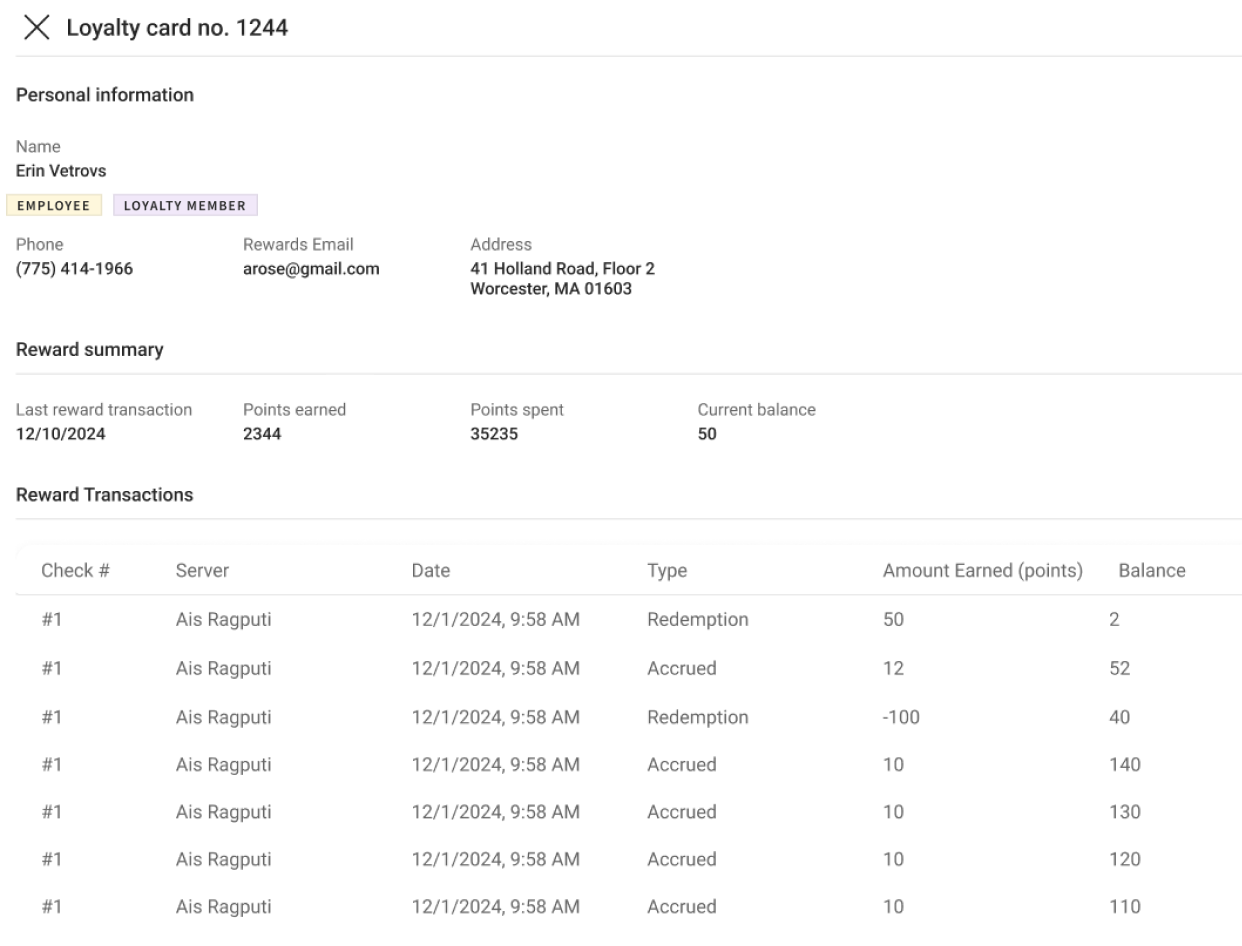
You can also select individual loyalty accounts to find more data.
Back to top
If you have sufficient reason to believe fraudulent activity is occurring in a customer rewards account, you can deactivate the account using the following steps:
- Repeat steps 1-3 from the previous section to locate the account.
- Select the account from the search results.
- Next to Card Info, select Edit.
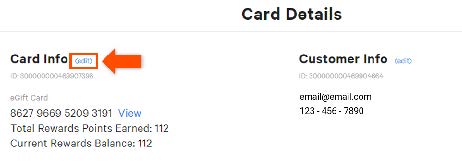
- Using the dropdown menu, change the status to Deactivated and select Save when finished.
Note: Toast does not notify guests whose loyalty accounts have been deactivated. If you determine that a loyalty account should be deactivated, you must decide whether to inform the rewards account holder.
Back to top


