In this Article:
Live (Paper) Checks Overview
A live check is a paper paycheck for an employee. In Toast Payroll, if you force a live check, this will override a direct deposit for the employee and issue them a paper check instead. Whether you force a live check for one or all employees, this only applies to the current payroll.
You may decide to force a live (paper) check to:
- Override a direct deposit in case the employee no longer has access to their bank account on file. This ensures the employee can still be paid on time.
- Pay out a bonus, allowing you to present an employee with a physical check in-person versus using direct deposit.
- Run an off-cycle solely dedicated to bonus wages.
Back to top
Issue a Live Check
- Begin running payroll as normal. For help with payroll steps, view Toast Payroll: Run Your Payroll.
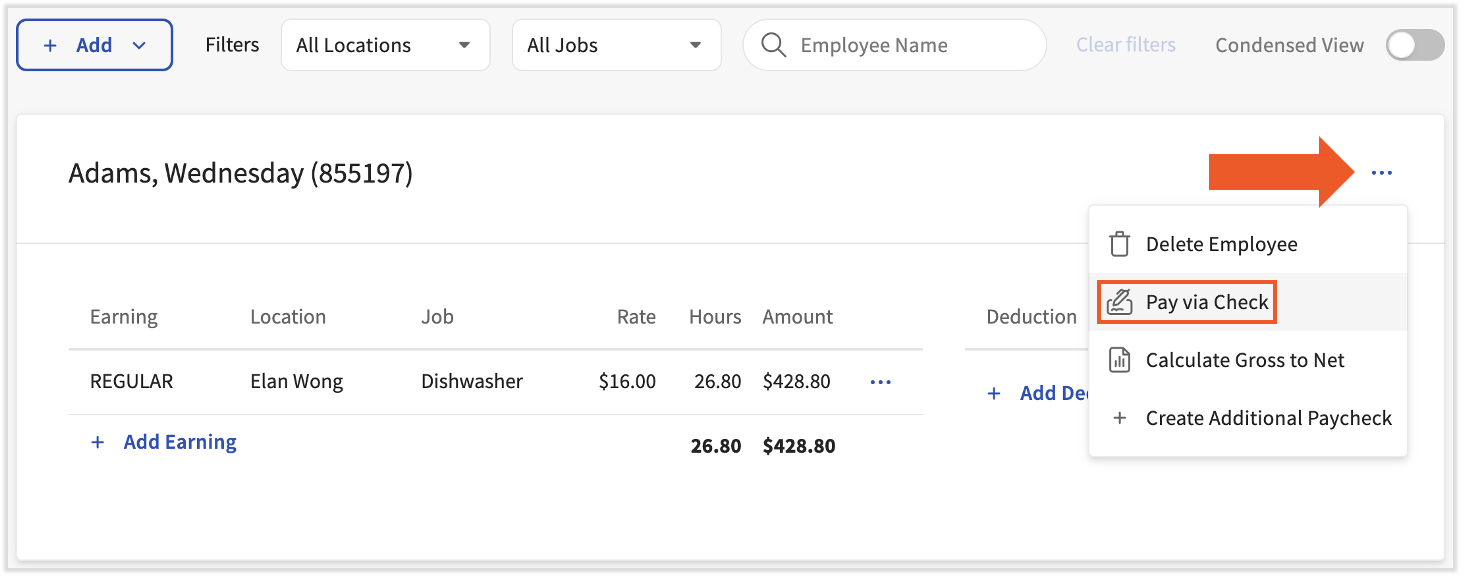
- On the Employee Earnings step, locate the employee and select the three dots (overflow menu) to the right of their name. Select Pay via Check.
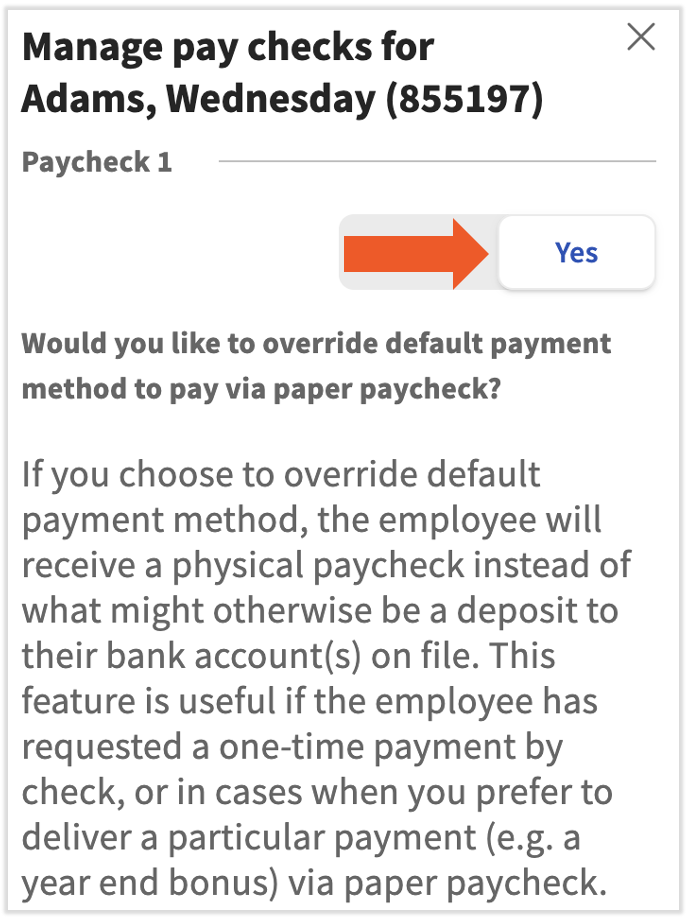
- Select Yes, then select Submit to finalize.
Back to top
Issue Live Checks for the Entire Payroll
- Start running payroll as normal. For help with payroll steps, view Toast Payroll: Run Your Payroll.
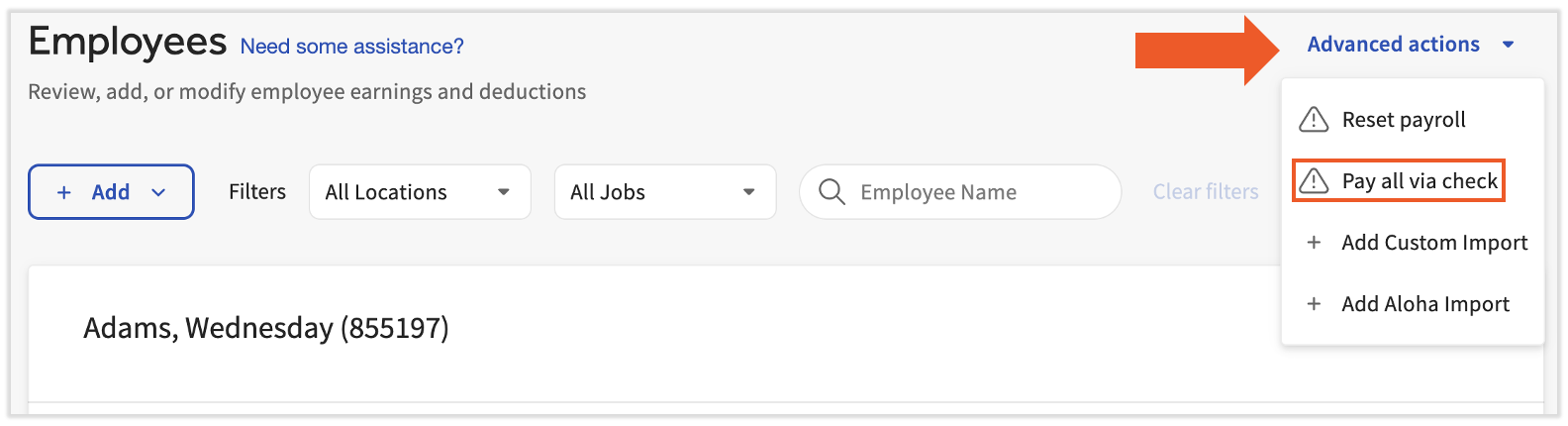
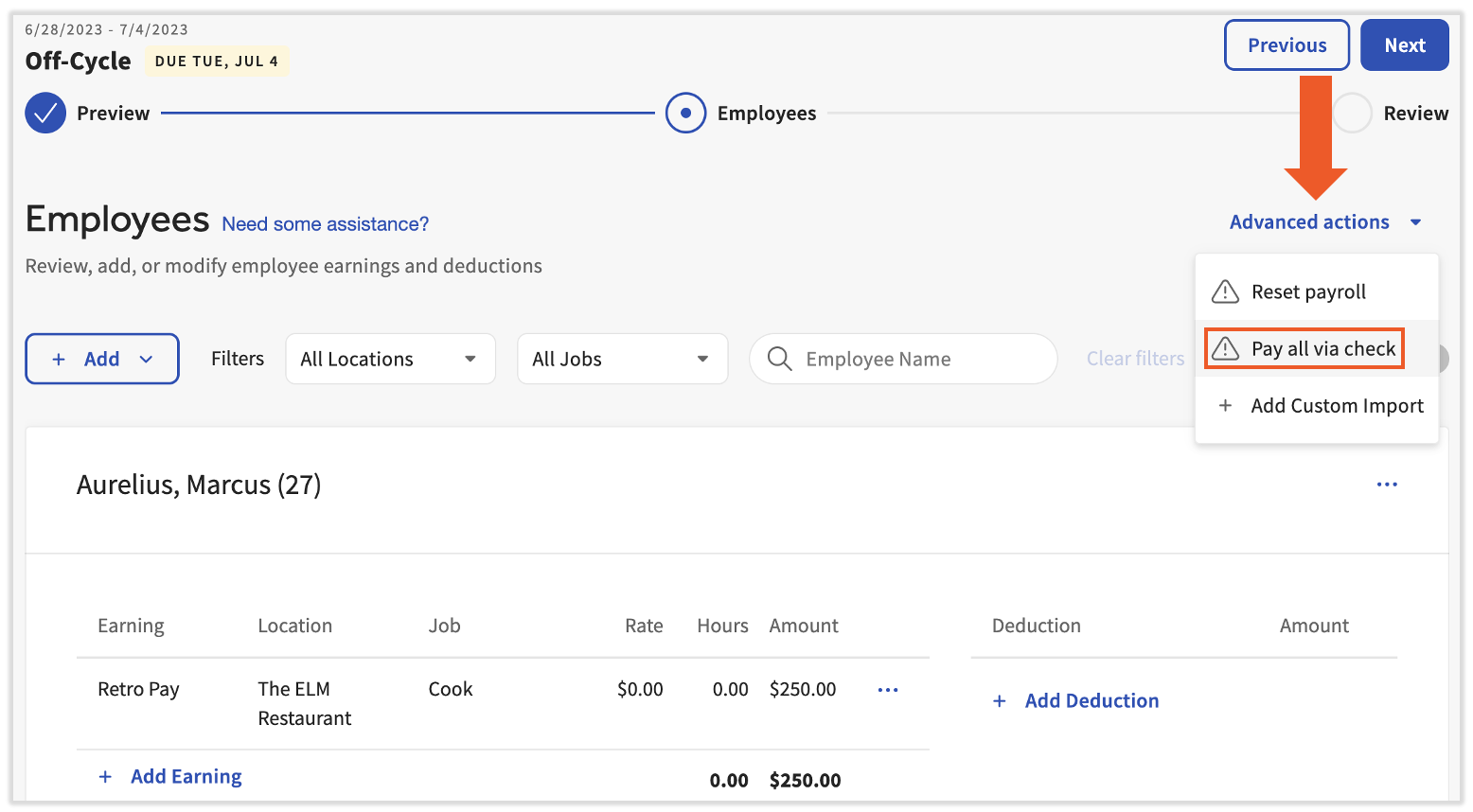
- Once you arrive on the Employee Earnings step, select the Advanced actions drop-down menu and choose Pay all via check.
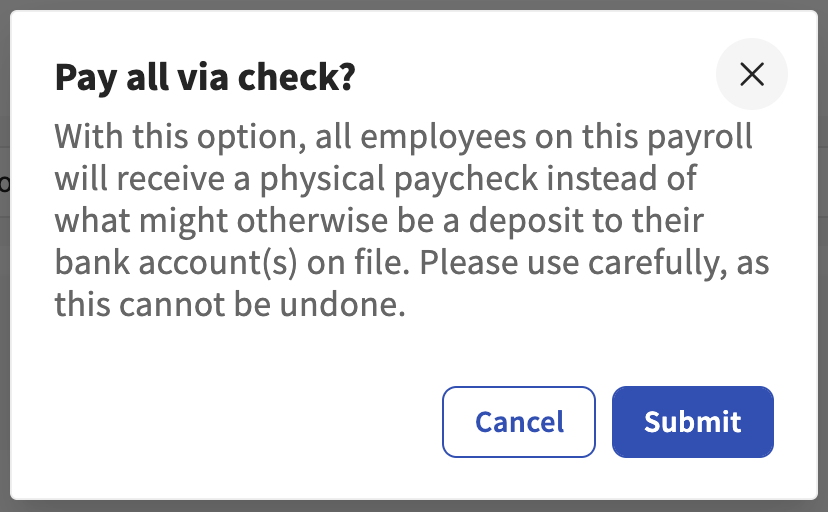
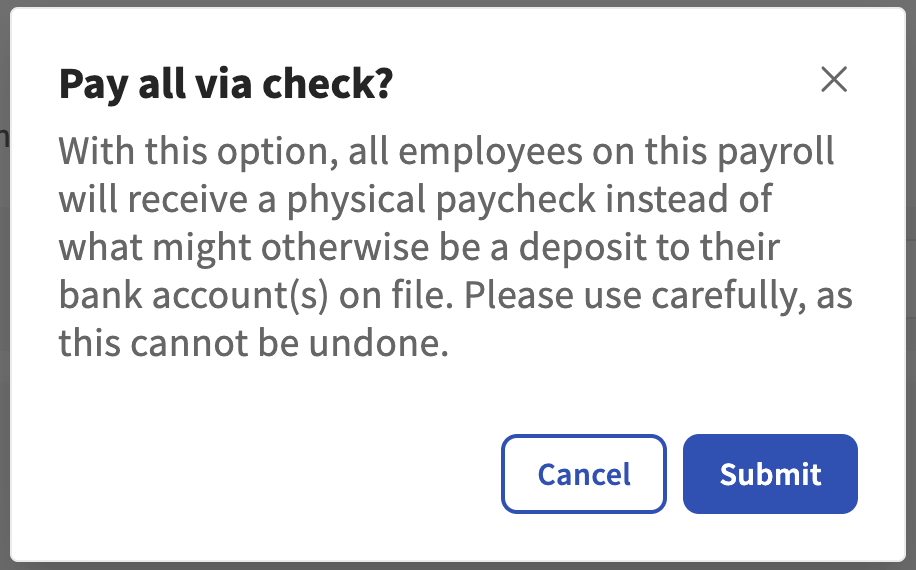
- Read through the pop-up and select Submit to complete this process. Be cautious: If this is done in error, the payroll must be reset in order to reverse this setting.
Back to top
Issue Bonuses Via a Live (Paper) Check
Many employers like to hand employees a bonus in the form of a physical paper check, also known as a live check. If only a small percentage of employees will receive a bonus, it may be easiest to manually create live checks for them within an existing payroll. However, if most or all employees will receive a bonus, Toast recommends creating an off-cycle payroll, separate of your normal payroll runs, and forcing live (paper) bonus checks for the entire off-cycle.
| At this time, an off-cycle payroll request will not carry the typical $50 fee, but this is subject to change. |
- Use this form to create your off-cycle payroll and send it to us through the chat function in the lower-right corner of Toast Payroll. Learn more at Toast Payroll: Set Up and Configure Off-Cycle Payrolls.
- Once Toast has confirmed it's ready, select Preview for this off-cycle payroll and begin allocating bonus amounts (one-time earnings) on the Employee Earnings step.
- After all bonus earnings have been added to the Employee Earnings step of payroll, select Advanced Options from the upper right corner and select Pay all via check. This will override any direct deposit payment methods an employee has selected.
- Select Submit on the confirmation pop-up and finish running payroll as normal. These checks will be generated based on your selected paycheck delivery method (this is different than an employee's payment method). Confirm whether your business or Toast Payroll is responsible for generating these live checks.
Back to top
This content is for informational purposes and is not intended as legal, tax, HR, or any other professional advice. Please contact an attorney or other professional for advice.


