¿Te interesa leer esto en Español? Vea este artículo.
In this Article:
Year-End Overview
We know year-end season can be difficult when you have to manage payroll, tax, and ACA obligations all at once, but we're here to help. Below is a short 3 minute video and some key points you'll want to keep in mind throughout the year-end season. Use the Tax Center to stay prepared for the new year.
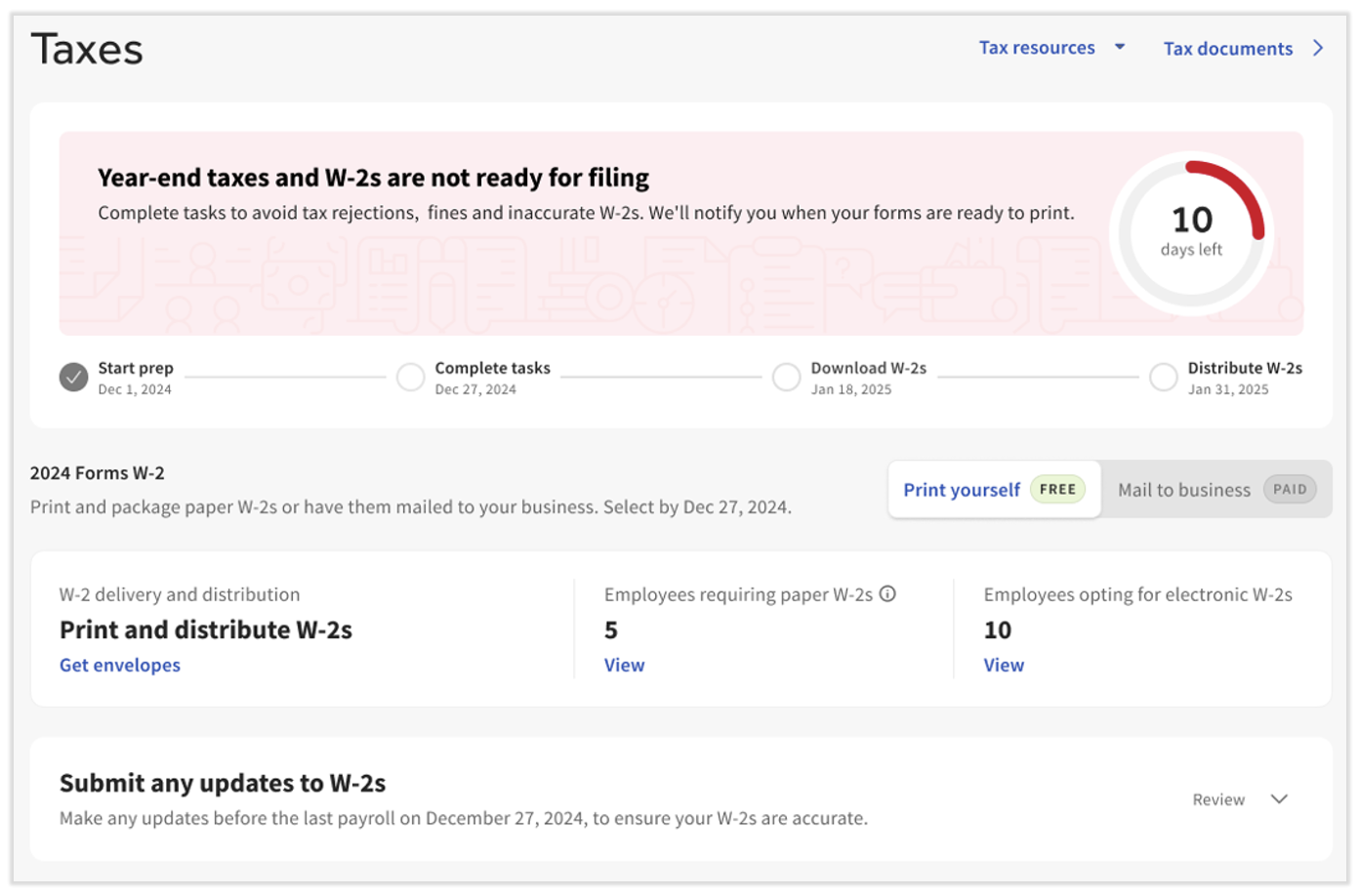
The Tax Center is equipped with year-end and Form W-2 items. Visit this often in November and December to complete any available tasks and keep track of your year-end season with Toast Payroll. Visit the Tax Center Around Year-End section of Toast Payroll: Manage Payroll Taxes to see just how the Tax Center can help.
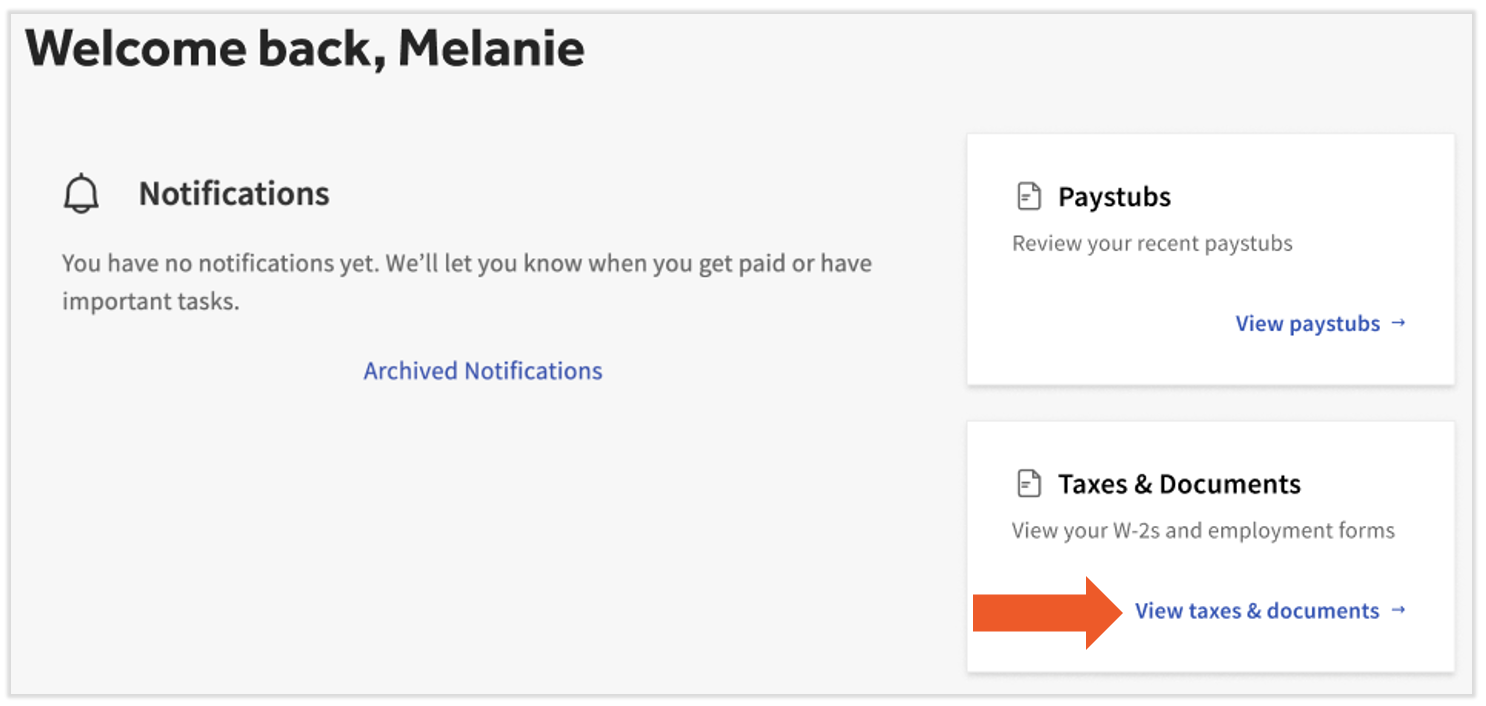
In 2026, employees can use the MyToast app to access their Form W-2. Otherwise, employees can locate their Form W-2 in Toast Payroll by selecting the Taxes & Documents link on the dashboard immediately after they log in.
Keep an eye out for the blue notifications on top of your Toast Payroll dashboard. We'll remind you of year-end actions to take and Form W-2 availability, plus we'll include links to the appropriate places in Toast Payroll.

Back to top
Important Year-End Dates
| Prior to: | Do these things, if applicable: | Notes: |
| Submitting your last payroll of the year |
|
- Navigate to Taxes to confirm your Form W-2 delivery setting.
- Create an off-cycle payroll by submitting this form via the chat feature in the lower-right corner of Toast Payroll.
- Submit group term life, 3PSP, etc. by contacting us via the chat function in the lower-right corner of Toast Payroll.
|
| January 6 (3 business days after the start of Q1) |
|
- Navigate to Taxes to fill-in all missing data and complete each task.
- Current and former employees should navigate to their own profiles to confirm SSNs, names, and addresses. This is a vital step towards an accurate Form W-2.
- Request a void by contacting us with the information contained in Toast Payroll: Request a Void.
- Information received after this deadline will not be reflected on your Q4 or annual tax filings.
|
| January 9 |
|
- Navigate to Benefits > View and manage health benefits > Apply for ACA filing and complete all Toast Payroll ACA checklist items.
|
| January 19 (on or after) |
|
- Navigate to Taxes to retrieve master copies of Form W-2s.
- Employees and former employees can log into MyToast (select Pay > Access Tax Forms (W-2)) or Toast Payroll (select View taxes & documents) to quickly find their Form W-2.
|
| January 31 |
|
- If you wish to mail Form W-2s to current/former employees, we recommend security-tinted, double-window, #9 envelopes, such as this one.
|
Back to top
Prepare for 2026
After submitting all applicable pieces of information for 2025, you'll be ready to begin the new year.
Form W-2s
Form W-2s will be available on Monday, January 19th, 2026. Find out where Form W-2s live in Toast Payroll and how to print and distribute them in Toast Payroll: Manage the Form W-2 Experience. Former employees will access their Form W-2 the same way active employees do.
You can post a notice in a high-traffic area of your restaurant regarding when and where employees may access their Form W-2.
Back to top
Minimum Wage Updates
Regularly review your state and locality minimum wage rates and update applicable employees before the effective date. Many of these do go into effect on January 1st and July 1st. Please visit your state and/or local Department of Labor website for additional information regarding your state and/or local requirements.
Back to top
Tax Notices and Updated SUTA Rates
Toast Payroll customers are responsible for keeping their tax information up to date. This includes your state withholding account number and its payment frequency and your state unemployment account number and its rate. If you receive notification from a tax agency, navigate to Settings > Payroll > Tax Accounts to verify and/or update your tax account information. Inaccurate rates may result in a tax variance at quarterly filing and/or tax notices. Check out Toast Payroll: Get Help With Tax Accounts for more details.
Back to top
FUTA Reduction Credit
Check if your state is impacted by a FUTA reduction credit (California only in 2026) and prepare for a higher Q4 variance in your Q1 tax package.
Back to top
Company Holidays
If you plan to offer holiday pay in 2026, be sure to update your company holidays by following the steps in Toast Payroll: Add Company Holidays.
Back to top
1099 Contractors
Although Toast Payroll does not file taxes for 1099 contractors, we can help you find the information they need to file.
- An HR+ user should navigate to Reports > Standard.
- Search for the Quarterly Employee Payroll Audit Report and select the eye icon, then Queue on the following page.
- Next, select the appropriate FEIN and Year.
- Now toggle the following first four fields to Yes: Include demographics, Include earnings, Include deductions, and Include taxes.
- After selecting Queue once more, select My reports in the pop-up.
- The My reports tab of the Document Courier automatically refreshes every 30 seconds while processing the report. Once the Quarterly Employee Payroll Audit is ready, select the Download hyperlink.
- Lastly, open this file in a spreadsheet viewer. Before you send this report to a contractor, make sure to remove all other employee rows. Columns E and F list the names of each individual in the report, so we suggest removing every row besides row 1 (column headers) and the row containing the contractor.
Back to top
This list is not all inclusive, nor do all items apply to each employer. Consult with your HR team and/or professional advisor to verify all year-end requirements applicable to your business.
This content is for informational purposes and is not intended as legal, tax, HR or any other professional advice. Please contact an attorney or other professional for advice.


